This page is archived Fovea.Billing documentation. It is kept online for reference and is no longer updated. For current documentation, see iaptic.com/documentation.
Required role: Account Holder, Admin, App Manager, or Marketing. See Role permissions.
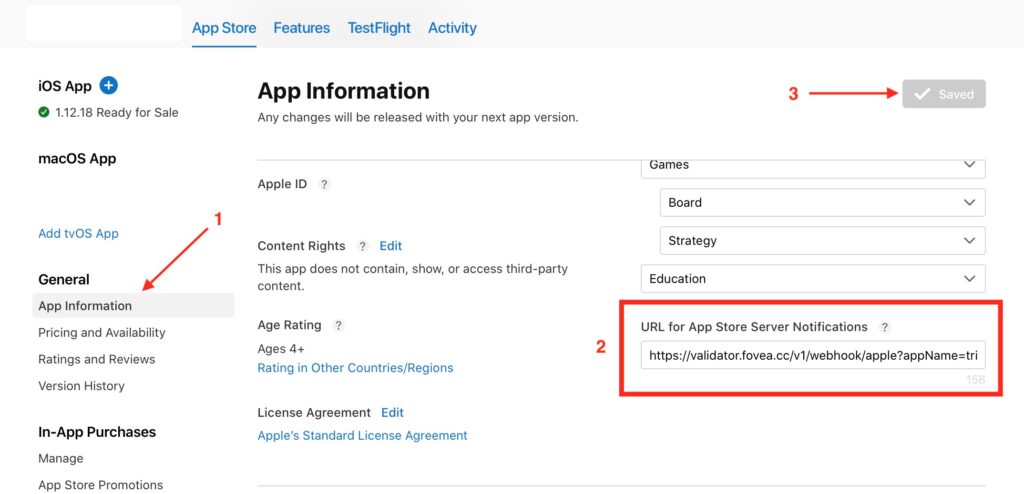
- From the App Store Connect‘s homepage, click My Apps, then select the app.
- The App Store page opens with App Information selected.
- Scroll down to General Information, then go to URL for App Store Server Notifications.
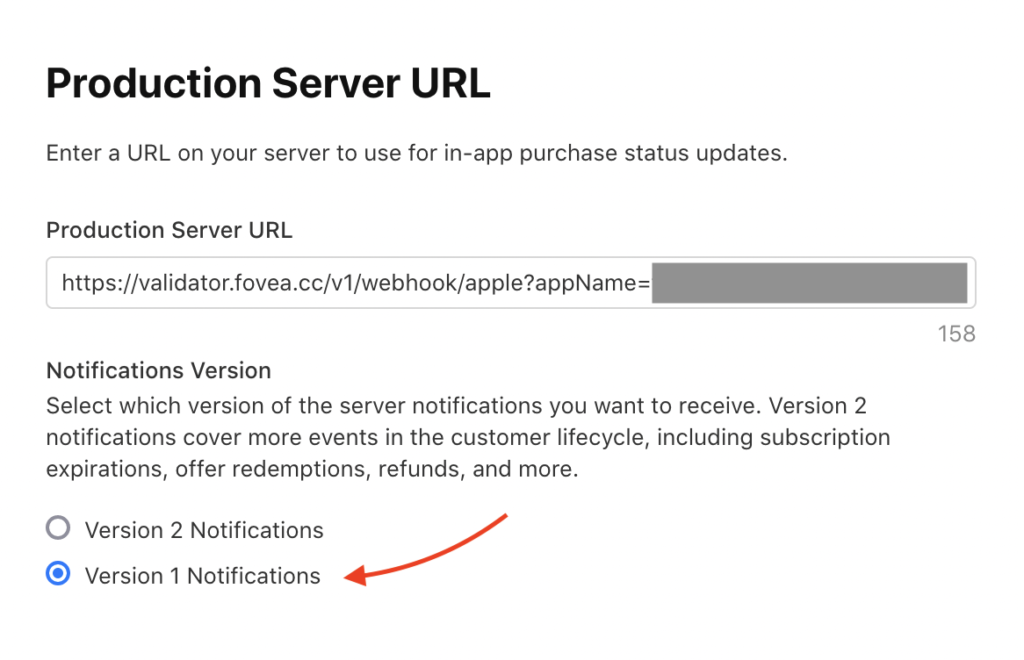
- Enter the Subscription Status URL. You can retrieve it from your Settings.
- Make sure you select “App Store Server Notification V1”.
- In the upper-right corner, click Save.